
Smart Home Upgrades I’ve Actually Added — And What Wasn’t Worth It
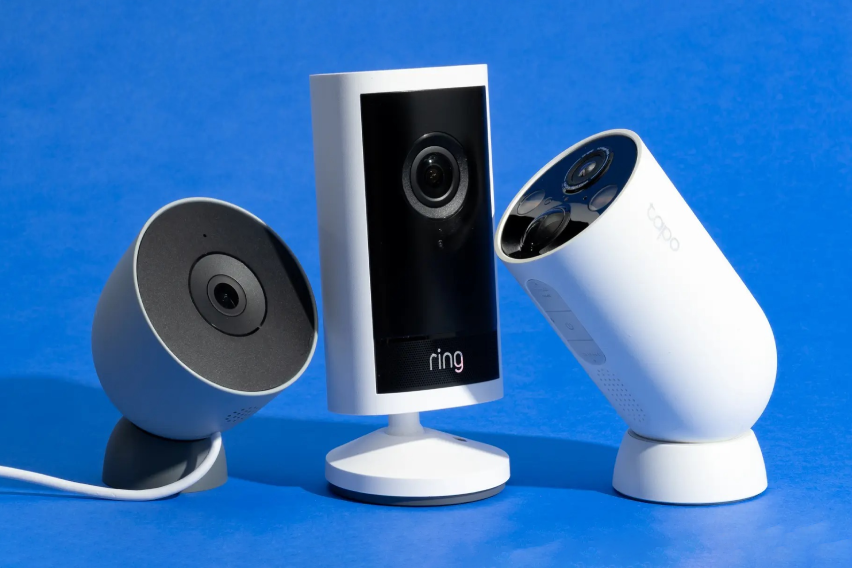
When we moved into our house two years ago, I had a list. A slightly embarrassing, overly optimistic list of smart home devices I was going to install before we’d even unpacked the kitchen boxes.
Some things on that list genuinely changed how we live in this house. Others were $80 gadgets that sat in a drawer after three weeks because the novelty wore off faster than I expected. A few were fine but not worth what I paid.
What follows is the honest version — not a roundup of products I found in a buyer’s guide, but specifically what I’ve installed, what I’d install again, and what I’d skip.
The One Rule I Learned the Hard Way
A device isn’t smart if managing it makes you feel stupid.
I had an evening early on where every light in the living room turned off simultaneously while we were watching a film. Took me twelve minutes and three separate apps to figure out that a firmware update had reset a scene. That’s not a smart home experience. That’s a new category of domestic frustration.
Since then I’ve had a simple filter for any new device: if it requires active management to work reliably, it’s not worth the setup. The best upgrades are the ones you stop thinking about within a week because they just work.
What I've Added, Honestly Reviewed
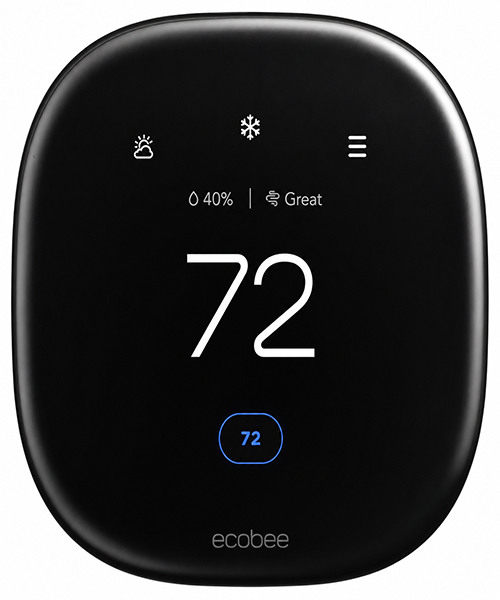
Installed: Month one. Still the best decision I made.
I was skeptical of smart thermostats because I didn’t think I was wasteful enough with heating and cooling to justify $250. I was wrong about both.
The Ecobee uses SmartSensors you place in different rooms to detect occupancy. Not schedule-based — actual detection. When the bedroom is empty during the day, it stops trying to heat it. When everyone’s in the living room in the evening, it prioritizes that space. Sounds simple. It’s not how any thermostat worked before this and the difference shows up in the energy bills within the first month.
The app is genuinely good. Not performatively good in a way that requires you to use it constantly, but useful when you actually need it — changing the schedule, adjusting remotely when you’re coming home early, getting a nudge to change the HVAC filter. It works with Alexa, Google, and Apple HomeKit. That matters less than it sounds in day-to-day life but it means you’re not locked into anything.
Ecobee claims average savings of around $230 a year for their customers. I’ve tracked my energy bills carefully enough to say mine are lower than the previous owners’ comparable months. The device paid for itself somewhere around month fourteen.
What I’d tell anyone considering it: Install the SmartSensors in the rooms you actually spend time in. That’s where the intelligence comes from, not the thermostat unit itself.
One honest caveat: Wiring setup requires knowing which wires your old thermostat used. If you’ve never looked at a thermostat’s wiring before, the Ecobee app walks you through it well, but it’s a thirty-minute job that some people find stressful. An electrician takes twenty minutes if you’d rather not deal with it.
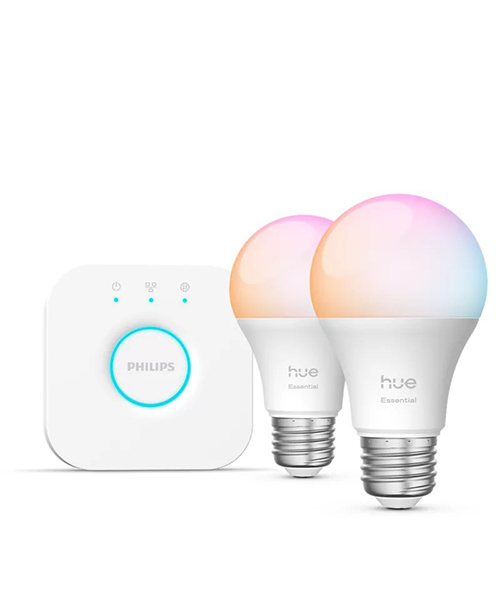
Installed: Month two. Still running bulbs I’ve had for years in other places.
Smart lighting has a reputation problem. Most people think it means controlling colors from your phone, which is mildly fun for about two weeks before you forget the app exists. That’s not actually why Philips Hue is worth having.
The reason is schedules and automations that you set once and then never think about again.
My outdoor lights come on at dusk and off at dawn. The living room dims to 40% at 9pm automatically without me touching anything. The kitchen goes to a warm, lower light in the evening rather than the harsh bright setting I want during the day. None of these things require me to be home, remember to do anything, or open an app. They just happen.
I’ve had Philips Hue light strips in my office that are now six years old — bought at a previous apartment and moved twice. They still work. That longevity is one reason the price is justified over time.
The Hue Bridge is the part nobody gets excited about and the part that actually matters. It runs local control — meaning if your internet goes down, your lights still work and automations still run because the system isn’t dependent on a cloud server. A lot of cheaper smart bulbs are cloud-dependent only, which means an outage or a company shutting down their servers breaks your entire setup. The Bridge solves that.
What I’d tell anyone considering it: Start with the starter kit — three bulbs and the Bridge. See what you actually automate. Then add more bulbs as you figure out where they’re most useful rather than replacing every light in the house on day one.
One honest caveat: It’s expensive compared to alternatives. TP-Link Tapo bulbs work reliably at about a quarter of the price if budget is a constraint. The tradeoff is ecosystem depth and the local control that Bridge enables. For most people, the cheaper option works fine.
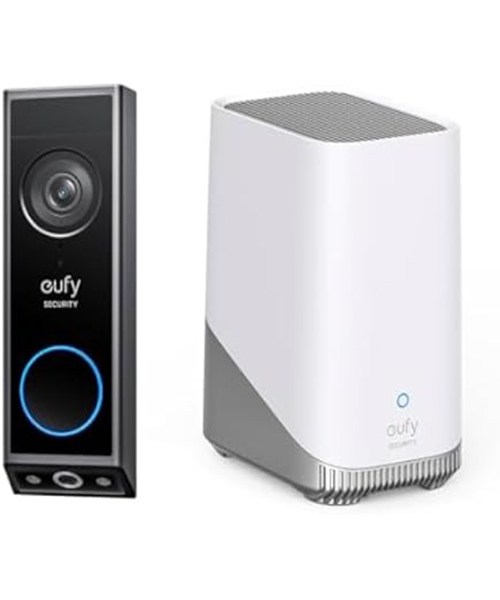
Installed: Month three. Use it every day without thinking about it.
Video doorbells are the most universally useful smart home device. That’s the thing I didn’t expect. I thought it would be a security feature I checked occasionally. It’s actually just how I answer my door now.
The delivery situation alone justified it within the first week. I work from home and spend a lot of time on calls. I can see the delivery person on my phone, tap a button, and say “just leave it by the door” without breaking off a conversation or running downstairs. That’s not a dramatic quality of life improvement. It’s a small daily convenience that accumulates into something meaningful.
The reason I specifically chose Eufy over Ring is the subscription question. Ring stores video in the cloud and charges monthly for access to it. Eufy stores video locally on the device. You get full functionality — video review, person detection, alerts — without a monthly fee. Ring is a fine product. I just didn’t want an ongoing subscription for a doorbell.
The video quality on the E340 is strong — dual cameras give you a wide view and a close-up simultaneously. Night vision is clear. The battery-powered option means no wiring if you don’t want it. I went with the wired version because I have an existing doorbell wire and it means I never think about charging.
What I’d tell anyone considering it: The app setup takes a few minutes but once it’s done you never open the app to manage it. It just sends you notifications. That’s how these things should work.
One honest caveat: Motion sensitivity needs tuning when you first install it. Default settings will send you a notification every time a car drives past. Spend twenty minutes adjusting the detection zones and it becomes genuinely useful rather than noise.
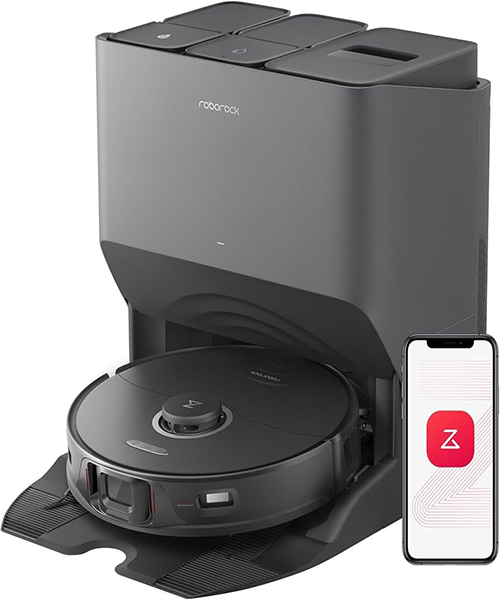
Installed: Month five. The one my partner and I disagree about most.
I love it. My partner tolerates it.
The case for it: our floors are mostly hardwood with two area rugs and we have a dog. Before the Roborock, visible dog hair on the floors was a daily reality that required regular action to address. Now the vacuum runs every morning at 7am while we’re making coffee and the floors are clean by the time we sit down to work. I have genuinely not thought about vacuuming since month six of owning it.
The case against it: it costs around $500 to $600 depending on the configuration. It needs its dock emptied every week or two. It occasionally gets stuck on a charging cable someone left on the floor and sends you an alert saying it needs help. My partner’s view is that a regular vacuum is $150 and doesn’t require troubleshooting.
She’s not wrong. The Roborock is a luxury convenience and it requires occasional intervention even though the whole point is supposed to be autonomy. On weeks where nothing goes wrong, it’s completely invisible and the floors are always clean. On the occasional week where it gets confused by a moved piece of furniture, it’s slightly annoying.
For a household with pets and hard floors: I’d buy it again without hesitation. For a carpeted apartment without pets: the math is less clear.
What I’d tell anyone considering it: Map your home carefully during the initial setup. The better it knows your floor plan, the smarter its routing gets. Don’t skip the mapping stage.
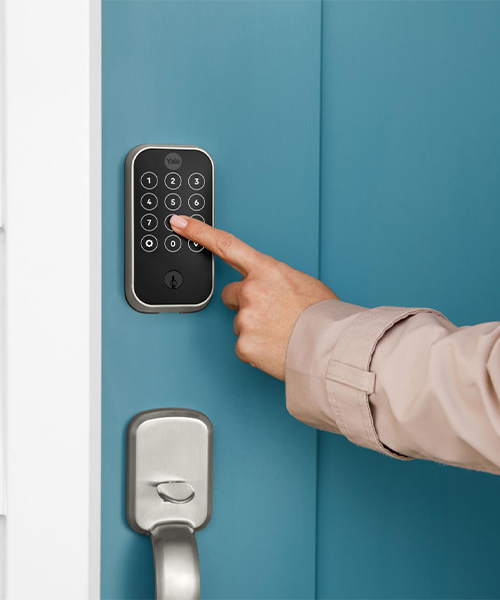
Installed: Month eight. The upgrade I wish I’d done sooner.
I didn’t think I needed a smart lock until I stood outside my front door at 10pm with my hands full of groceries for the third time in a month, fumbling for keys I’d put in the wrong pocket.
The Yale Assure Lock 2 has a keypad. You enter a code, the door unlocks. You can also unlock from an app. You can give temporary codes to house guests, a dog walker, or anyone who needs access for a specific window of time and then have those codes expire automatically. Auto-lock means the door locks itself behind you.
None of these features are revolutionary. All of them are things I now use several times a day and take completely for granted. Keyless entry to your own home turns out to be one of those small changes that makes you wonder why you lived differently before.
It works with Apple HomeKit, Google Home, and Alexa. Installation is about thirty minutes if you can follow directions — it replaces the deadbolt and that’s all. No extra wiring.
What I’d tell anyone considering it: Auto-lock is the feature you’ll use most. Enable it on day one. The peace of mind of knowing the door is always locked behind you is quietly significant.
One honest caveat: Battery life runs six to twelve months. When it runs low the lock gives you warnings via the app. Don’t ignore them. Replacing the batteries is a two-minute job but locking yourself out because you ignored four notifications is an avoidable bad evening.
What I Tried and Wouldn't Bother With Again
Smart plugs: In theory — plug anything in and control it from your phone, set schedules, monitor energy usage. In practice — I set up four of them and use one. The others are plugged in doing nothing because the things they were controlling didn’t need smart functionality as much as I thought they did. Unless you have a specific use case (a lamp that has no smart bulb option, a fan you want on a schedule), I’d skip them.
Smart speakers as a “hub”: I have an Amazon Echo in the kitchen and use it mainly for timers and the occasional music request. As a smart home controller it’s fine. As something I use deliberately for home automation — I don’t. The voice interaction for home control sounds useful until you’re actually standing in front of a light switch and the light switch is faster than saying “Alexa, turn on the kitchen light.” Voice control shines for hands-free situations, not as a primary interface.
Where I'd Start If Starting Over
If I were moving into a new place tomorrow and had $500 to spend on smart home upgrades, here’s where that money would go:
- Ecobee thermostat ($249) — biggest real-world return, both financial and comfort
- Eufy video doorbell ($130) — most daily utility, no subscription, easy install
- Philips Hue starter kit ($135) — the foundation for everything else in lighting, add bulbs slowly over time
That $514 would change the daily experience of living in a home more than anything else I’ve found. Everything else is incremental improvement from there.
The Honest Bottom Line
Smart home technology has a specific failure mode: buying things because they’re interesting rather than because they solve something you actually find annoying. The thermostat solved a real problem (energy waste and uneven comfort). The doorbell solved a real problem (answering the door while on a call). The smart lock solved a real problem (hands full at the front door). The light automations solved a real problem (I kept forgetting to turn off outdoor lights).
Buy things that solve problems you actually have. The rest is impressive to show people and mostly lives in a drawer.